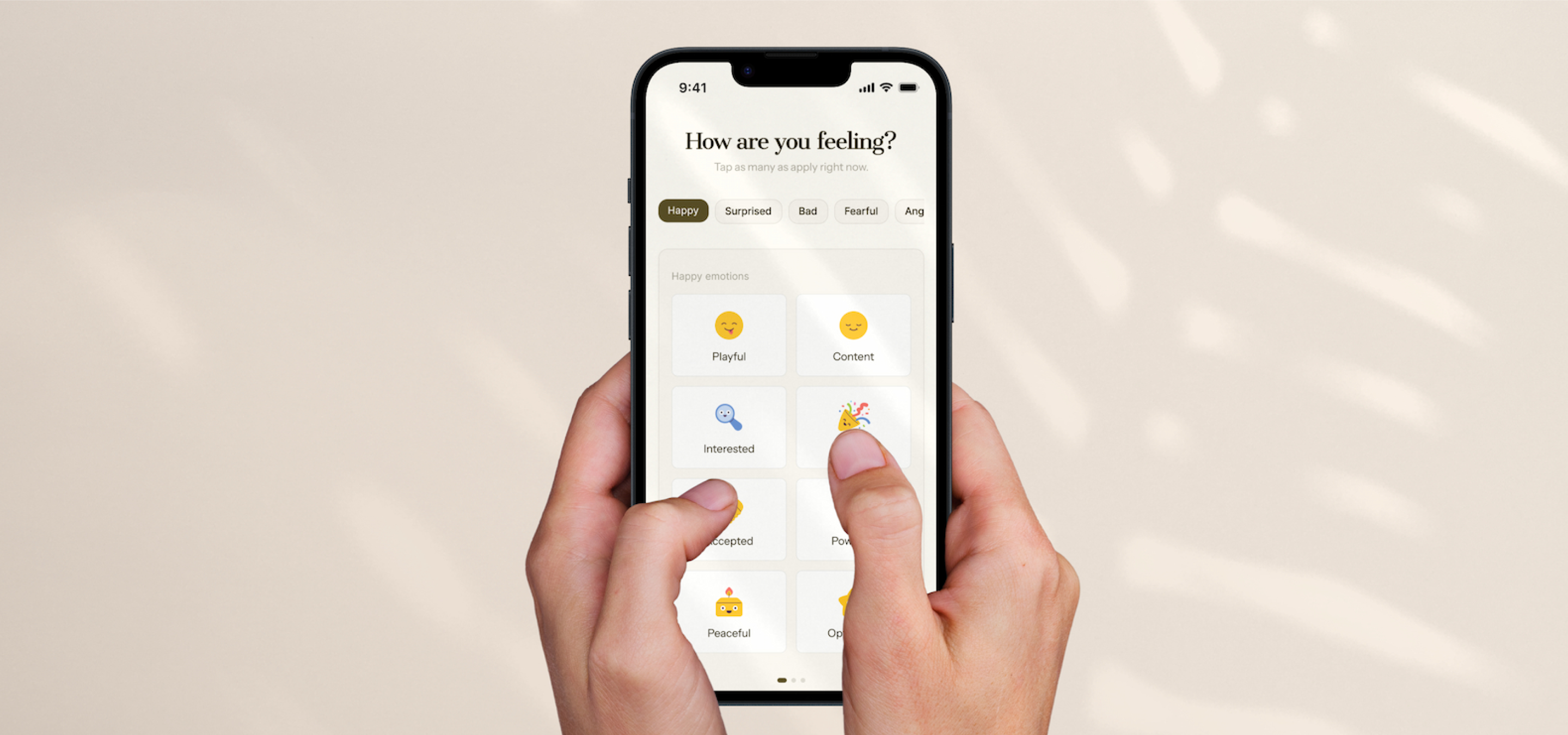
Designing in the Age of AI

Case Study

Summary
This case study documents my evolving design process, incorporating AI tools to enhance workflow efficiency, delivery speed and polished UI. The product itself is fictional. The focus is entirely on the process.
view live prototype
made with lovable.
Preface
Human input is essential to good design. AI shouldn't replace that.
Question
AI is challenging the design industry. How have I adapted my process to keep pace?
The Role of the Designer is Changing
Design has always demanded a wide range of skills. As society evolves, design must adapt to follow. The designer's role serves, communities, groups, and individuals alike. Adaptability is the designer's greatest asset.
Design Tools are Evolving
The tools designers use are evolving rapidly, built to streamline process and accelerate delivery. With that comes the responsibility to learn how to use them effectively and reshape the design process around them.
What This Means & Doesn't Mean
It's not all bad...
Exploration & Discovery is Not Being Replaced
Experimenting is still a crucial part to good design. This part of the process provides us with a deep understanding of the product and the people who use it. That part of the process shouldn't change.
Optimized Workflow and Quicker Delivery
AI tools free time spent on repetitive or tedious tasks. This allows designers to focus on creativity and strategy. Faster iteration means more room for feedback cycles, refinement, and ultimately, leading to better outcomes.
Accountability
AI doesn't remove accountability. Ideas, concepts and final decisions still belong to the designer and team. The work may be assisted, but the designer still calls the shots.
Ideate & Plan
Planning is a crucial step in good design.
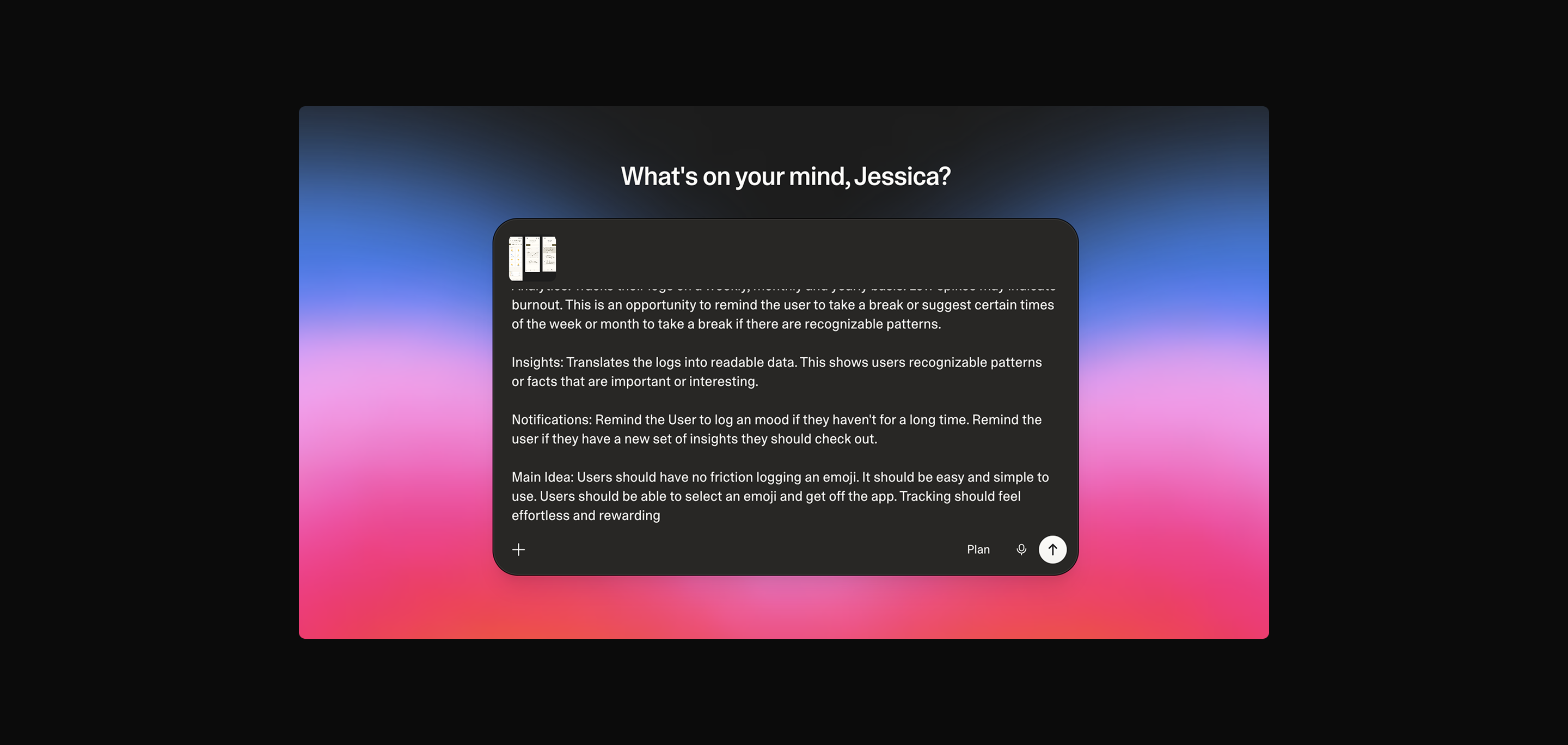
A prompt is only as good as the thinking behind it.
Laying out a simple foundation with detailed prompts in Banani.
The prompt targets UI-level details rather than overall flow. At this stage, the goal is a rough mockup. This is the starting point to be refined and elaborated (userflows). What matters most is having a clear plan before the prompt is written. The AI doesn't generate the idea; the designer does.
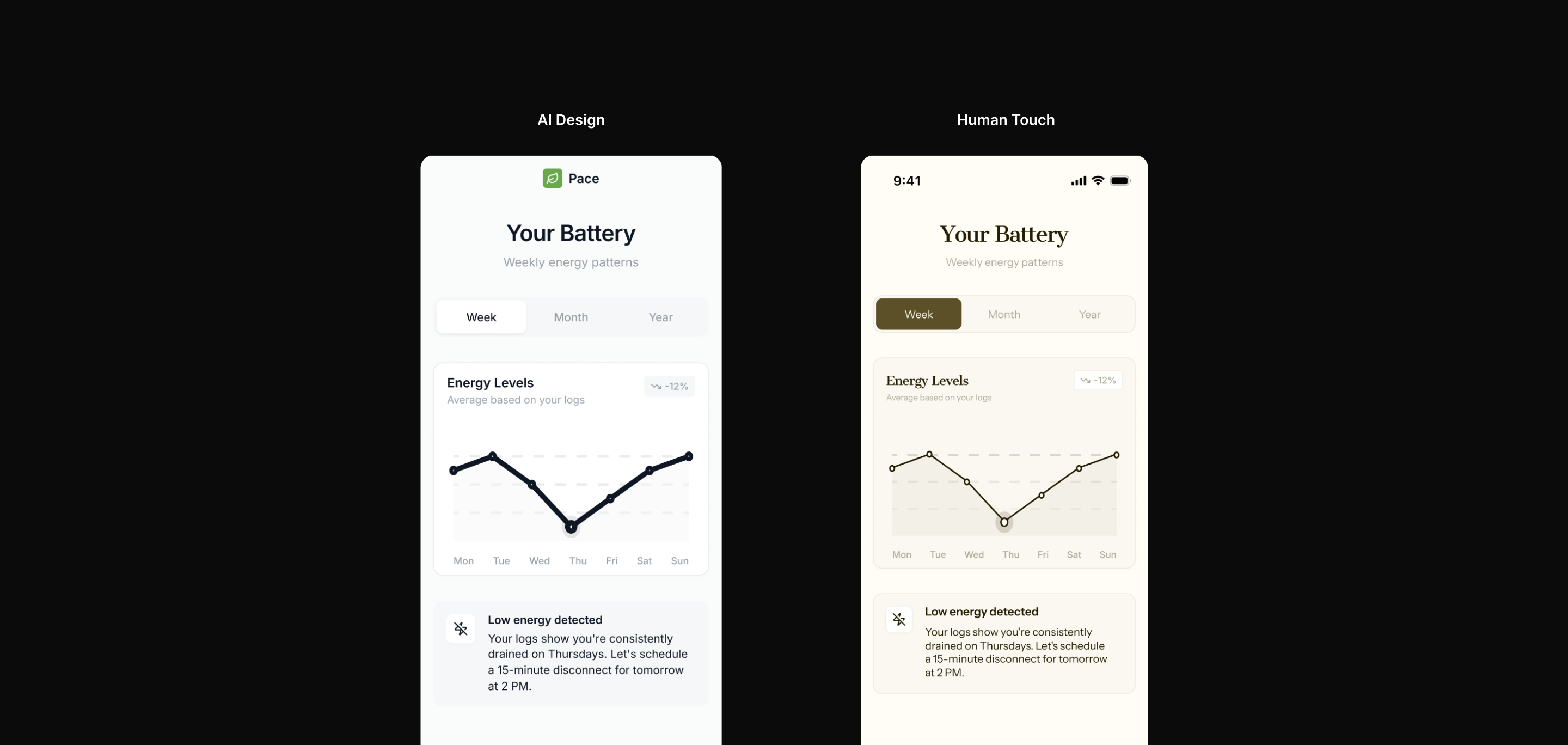
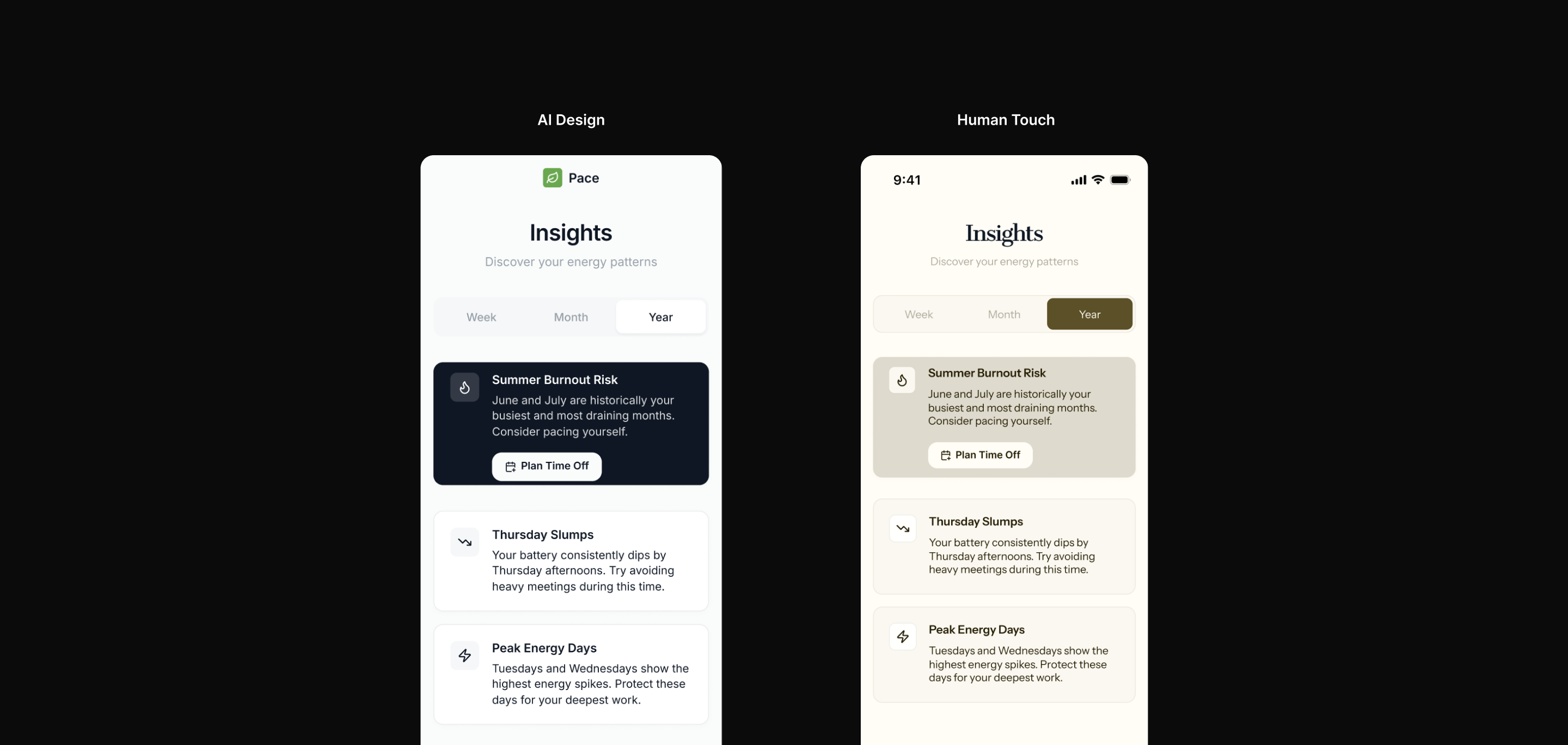
AI vs Designer
The initial screens were generated in Banani and exported to Figma, applying product design strategy and refine visual identity.
AI Actions
Designer Actions
Prototyping Prompt
Using Lovable for ideation and rapid prototyping.
Prototyping
Rapid prototyping provides an advantage to recieve early feedback and insights while the product is still being shaped.
1. User Testing
Early prototyping while the product is still being shaped helps identify UX improvements when they're still easy to act on.
2. Quick Feedback
Catching problems early can change the trajectory of the product. Issues identified at the prototyping phase cost far less to fix than discovered later.
3. Use Cases & Edge Cases
Early prototyping reduces the guess work. It simulates real use cases and edge cases in a controlled environment, before they become problems in the hands of real users.
Human Input Is Valuable
A prototype is a starting point, not the final product.
I use these tools to help design and build a product from a product design perspective. A working prototype doesn't necessarily mean its a good product.
Developers Still Have Agency
I design with developers in mind. I use AI tools with the intention of reducing friction, structuring files for clean handoff and setting developers up for success. The designer and developer relationship still matters.
Backend Logic Still Needs to Make Sense
AI tools are susceptible to mistakes. AI tools like Replit and Lovable are capable of building a whole app from scratch but technical decisions behind the code is not my domain. Enusring the backend logic is sound, scalable, and maintainable is where the developer takes over.
Privacy, Security and Safety Measures
Building an app comes with a responsibility to its users. Privacy, security, and safety measures require developer input. This is not an area where AI output should go unchecked, it requires deliberate, informed decisions from people who understand the implications.
Key Takeaways
AI tools don't remove the design process, they redefine it.
view live prototype
made with lovable.
Improved Workflow
AI turn early ideas into tangible groundwork faster. The designer's role becomes refining and improving those foundations into something meaningful.
Quick Feedback
Early prototyping means faster learning. Opportunities to iterate, validate and course-correct come earlier rather than later.
You Still Need a Designer to Design
Generating a screen is not the same as designing one. Effective design requires someone who understands design principles, visual hierarchy, colour and typography and knowing how to apply them with intention. The tools are only as good as the person directing them.
Note
I am in an exploratory phase, actively learning, forming opinions, and discovering what a productive relationship between AI and design looks like for me.
Next Steps: Adding to my Toolkit
Learning doesn't stop here.
Claude Code + Figma is the next steps I'm learning to add to my design process.
Thanks for reading!
see also
working globally
Case Study
Designing for First Impressions
Case Study
Clique - Video Game Tracker
Client Project
Brew - Cannabis Tracking Tool
designbyjebu.